
After years of trying to switch to Home Assistant, Claude Code got me (mostly) there in one afternoon.

I am not, by any definition, a coder, but when I started seeing people’s vibe-coded smart home projects all over my social feeds this month, I was intrigued. From a “master command center” built on a Lutron system to AI controlling a smart oven, people were unleashing AI in their smart homes, using Claude Code to build tools that would normally take weeks to create by hand. The barrier between “I wish this existed” and “I made it” suddenly looked remarkably thin. So, what did I wish existed in my home? A decent smart home dashboard.
I’ve been reviewing smart home devices for over a decade, and the constant switching and swapping of lights, locks, sensors, and more has resulted in a Frankenstein-ed home that’s entirely unmanageable through a single interface or app.
I run three platforms regularly — Amazon Alexa, Google Home, and Apple Home — alongside tinkering with Samsung SmartThings, Home Assistant, and Homey. Plus, I have over a dozen bridges and hubs bringing more devices into play, including Lutron Caseta, Philips Hue, Aqara, Ikea, and Aeotec.
Too few of my devices talk to each other, and when they do, it’s not for long. Network drop-offs and broken integrations abound, making it an ongoing headache to set up and maintain automations and sensor-based routines.
I’ve struggled for years to get the lights in my Minka-Aire ceiling fans (paired via a Bond Bridge) to work reliably with the Philips Hue lights in my kids’ bedrooms, and I’ve got oddities like a Wi-Fi-connected Sleep Number bed that knows everything about me but talks to nothing.
While the smart home standard Matter is starting to address some of these interoperability issues, it’s largely failed to help with existing devices. All of this has left me with a smart home that feels more Mary Shelley than Jetsons.
My office, where I test a lot of gadgets, is the pinnacle of this frustration. All I want is to be able to turn every light in there — from six different manufacturers, on four different protocols — on or off with one command. But most importantly, I need a single interface that lets me see and control everything.
Inspired by the fun that devs seem to be having with Claude Code’s capabilities, I decided to see if the AI could tame my monstrous smart home. If I can vibe-code a solution for a setup as complicated as mine with Claude, it can probably work for anyone.
Teaching Claude
My first step was to make sure I was using the right tools for the job. Along with regular Claude and Claude Code, Anthropic recently launched Cowork. I connected with the folks there, who confirmed that Claude Code was the best solution for what I was trying to do and set me up with a Claude Max account.
Code is available with the Pro plan ($20 a month) or the Max plan (starting at $100 a month). The main difference is that Max has higher rate limits.
For my first attempt, I just YOLO’d it and asked Claude to find all the devices on my Wi-Fi network and vibe-code me a smart home command center.
This produced a dashboard that was spectacularly obtuse and entirely unhelpful. The locally hosted web interface it created showed me most of my devices, but not all. It offered no way to control them, and over half of the names were indecipherable.
I asked Claude if it could add bridged devices, such as lights and shades connected to my Lutron Caseta and Philips Hue bridges, but after several attempts, nothing worked. I then told it to make the dashboard usable by adding recognizable names and some controls. While that produced a couple of toggles to turn some Wi-Fi lights on and off, the result was still a mess.
Clearly, I needed more than zero coding knowledge to make this work. So I asked Claude what it suggested I could do to make this mess do something useful. It said what most readers to this point have probably been shouting: Integrate it with Home Assistant.
Everyone was right: I needed Home Assistant
In all honesty, I went into this effort expecting a Home Assistant dashboard to be the likely outcome. I’ve been planning to switch to the smart home platform for a while, and it seemed Claude might have the tools to help me overcome my biggest hurdle: the time and effort required to set it up.
For those unfamiliar, Home Assistant is free-to-use, open-source software for controlling your smart home that offers the broadest compatibility and most integrations of any platform. Its biggest selling point is that it runs locally on your own hardware — not in a cloud controlled by Amazon or Google, or on hardware tied to any other tech giant’s walled garden.
Home Assistant supports all protocols — Zigbee, Z-Wave, Matter, Thread, Bluetooth, and more — and integrates with major voice assistants and platforms, including Amazon Alexa, Apple Home, and Google Home. It also has a powerful automation engine that should make quick work of the mélange of lights in my office.
In short, HA offers the most comprehensive solution for managing a complex, advanced smart home like mine, while still allowing me to test and use the other platforms. But it has a steep learning curve and can be almost a full-time hobby. Since my full-time job is playing with smart home gadgets, I’m hesitant to spend my downtime doing the same.
My nascent attempts at using HA have been filled with trial and error and dozens of Reddit rabbit holes. I knew switching my entire system would take a while, and I’d already hit several roadblocks trying to integrate devices like my bridged Leviton Wi-Fi switch and my Home Connect Thermador oven. Claude Code was my best hope.
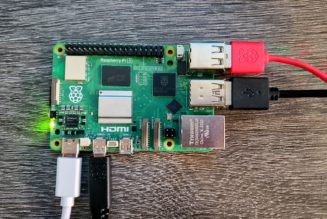
And it mostly delivered. In one afternoon, using the Claude desktop app on my M4 Mac Mini and HA running on my Home Assistant Yellow, I got about 70 percent of my smart home devices transferred over and set up, and I was ready to move on to the real value of a smart home platform — setting up automations and scripts. Plus, most importantly for me, creating a smart home dashboard.
The key was natural language. I could just type what I wanted to happen into the chatbot — query devices and states, execute services, and manage automations — and Claude went to work. It became the translator between what I wanted my smart home to do and the technical implementation — YAML configs, developer tools, automations — that HA requires.
I started by asking it to find all the connected devices on my network, help me to set up those that weren’t integrated with HA yet, and then suggest ways I could automate them.
Using Model Context Protocol in Chrome, which lets Claude connect directly to the browser on my computer, the AI reviewed my Home Assistant setup via its local web connection and flagged devices I hadn’t added yet.
It suggested several automations and offered to set them up for me. I gave it the go-ahead for a couple, and it successfully created one that closes the shades in my home when the AC turns on to save energy, and another to send an alert to my phone when my solar panel production drops below a certain threshold.
I then asked it to set up the Leviton smart switch I’d been struggling with, which required a YAML configuration file.
While not coding per se, YAML is one of those HA steps where I’ve repeatedly bailed. Claude figured out the integration, trying a few unsuccessful approaches before realizing it needed to install the Visual Studio Code add-on to edit the YAML file. Within an hour, I had the switch set up in HA and an automation configured to turn off the very loud fan it connects to 30 minutes after being turned on.
Yes, it took an hour. I noticed immediately that this whole process was painfully slow. Claude was essentially navigating my Home Assistant web interface step by step, the way a person would (reading the page, finding buttons, clicking them, waiting for results). Only much slower. And not always doing it right. There had to be a better way.
Agentic AI meets the physical world
It turns out there is. After consulting with Anthropic, Home Assistant, and Reddit, I discovered that I needed to give Claude access to my Home Assistant server and its config files. This allows it to write directly to HA rather than going through the web interface.
Paulus Schoutsen, founder of Home Assistant, pointed me to The Unofficial and Awesome Home Assistant MCP Server. This is a free community-developed add-on that gives Claude direct access to Home Assistant’s API, allowing it to work more autonomously than the prior method.
You don’t need a paid Claude account to use it, as you’re not writing files with Claude Code, and MCP integration works with the free tier. However, you’ll hit the rate limits quickly if you’re doing a full setup like mine. I also found using Claude Code to be more productive than Claude. If you don’t want to use Claude at all, ha-mcp also works with other AI clients.
Currently, installing ha-mcp requires an in-depth setup process that Schoutsen walked me through (there’s a detailed guide here). But he says they’re looking at integrating it more seamlessly into HA to make it easier for people to access the tools.
Once I had ha-mcp running, I just needed to toggle on Home Assistant in the Claude app’s connectors to allow it access to my smart home. My first thought was, Maybe this isn’t a good idea. AI agents controlling physical devices like thermostats, locks, and ovens — what could go wrong?
Anthropic says that by default, Claude Code has read-only permissions and can’t make changes on its own. Any edits, commands it executes, or network requests require me to grant permission first. If Claude does make a change I didn’t want, I can hit Esc twice to revert any code changes. Additionally, using the ha-mcp server provides further guardrails. “It’s like an API, it makes sure Claude doesn’t mess anything up,” says Schoutsen.
Somewhat reassured, I used the fully HA-integrated Claude Code to finish migrating most of my nearly 200 smart home devices. I then had it create a dashboard to control devices with a few taps, setting me up to integrate the sensors and automations that make the smart home sing.
The dashboard creation process was my favorite. I just told Claude my priorities: quick access to lights, locks, and climate controls, and easy views of my cameras and current solar production. It produced a clean, easy-to-read dashboard in seconds. Compared to the current default Home Assistant overview, which shows you every entity for every device you have, this was far less intimidating and much more usable.
I could also follow up with prompts to tweak the look, such as “move the cameras to the right and put the office lighting control at the top.” I even had Claude download an HA add-on to give my dashboard the more modern “Mushroom” design and told it to use the newer Sections layout. The finished product might not look like something an Apple Home software designer would be proud of, but I’d like to think it’s not far off.
For comparison, I had Claude create a robot vacuum dashboard to show the current states of the three Roborock vacuums in my house, and then tried setting up that same dashboard myself. Fifteen minutes in, I gave up. Yes, HA has the tools to do all this yourself, but I was right all along: I do not have the time or patience to deal with them.
With the dashboard set, I told Claude to give me a single toggle to control all the lights in my office — including the light in my Minka-Aire ceiling fan, the Nanoleaf Blocks on my wall, the Lifx Luna lamp in my dollhouse, three Hue bulbs in lamps, and an Elgato Key Light above my desk. It took a bit of troubleshooting — the fan light kept turning off when everything else turned on — but after a few more prompts, it was perfect.
Where Claude got it wrong
This is not to say the entire process was smooth. Claude did what all AI does: get things wrong. Once or twice, it deleted entire sections from my dashboard when I asked it to rearrange something; it also grabbed the wrong device in a couple of automations, and it kept insisting it had all my lights in my daughter’s room group when it only had the Hue lights. It most definitely requires supervision.
And that supervision is built in — I had to manually approve most of Claude’s actions during the process. This did mean that, for better or worse, I couldn’t just give Claude instructions, leave it alone for two hours, and come back to a perfect smart home.
But what it did for me was worth the time I spent. Along with getting properly set up in Home Assistant, Claude also solved an issue that had been vexing me for ages in under an hour. While my office light setup is relatively minor, it points to the bigger picture. AI — in this case, Claude Code — made setting up a complex platform simple and fast. It made Home Assistant’s powerful tools easier to use and helped me learn how to use them going forward.
For example, the automation to turn the bathroom fan off 30 minutes after it’s turned on, which I mentioned earlier. This is surprisingly hard to achieve on most smart home platforms. I tried doing it myself in HA and got lost in Home Assistant’s many menus. I had Claude do it for me, then looked at the results so I know how to do it in the future. Editing an automation is much easier than creating one from scratch.
In total, after the initial missteps, I spent about four hours vibe-coding with Claude to get my Home Assistant setup into a usable state. There are still things I need to do, some of which Claude can’t help with (mostly around HomeKit devices). I also plan to keep tinkering with the dashboard to make it fit my needs seamlessly — it’s working well so far, but I can already see ways to improve it.
The best part about having a usable, central brain for my smart home is the ability to get more creative with automations and sensors. I plan to play with a new Home Assistant add-on that uses Claude to analyze all your manual actions and suggest automations. With AI in the smart home, it seems the fun never ends.
When the chatbot is actually useful
Today, adding Claude or any other AI administrator to Home Assistant isn’t supported natively; Home Assistant currently only integrates AI voice control. However, Schoutsen told me that, in addition to creating a more streamlined integration with ha-mcp, the team is exploring integrating an AI-powered chatbot.
“We see real benefits here,” he says. “AI is particularly good at troubleshooting; it can read logs and understand them.” He also points to its creativity. “People often get stuck figuring out how to use their smart home. AI can suggest automations, create dashboards, and also fill in the gaps when you hit a wall,” he says. “Today, using Home Assistant is black and white; you can do something, or you can’t. AI can fill in that gray area, fine-tune things, help make it all just work.”
This is where every smart home company sees the potential of AI. Many big names have integrated AI chatbots into their apps, from Philips Hue to Aqara and Govee. But my experience with these — and with the generative-AI-powered Alexa Plus — is that they aren’t powerful enough.
Yes, setting up a Routine via voice in Alexa is a huge improvement, and the AI is much smarter than its predecessor. But ask Alexa to tell me why my Nanoleaf light panel isn’t connecting to my smart home or to help me set up a device and get it configured, and it’s crickets.
I can understand why bigger companies are moving slowly here, but since I unleashed Claude in my smart home via Home Assistant, I can finally see a future where everything just works, and I want that future now. The real promise of AI in the smart home is making complexity disappear, so my home works for me, not the other way around.
Screenshots by Jennifer Pattison Tuohy / The Verge